Built for the people who build the product.

Manage inventory, BOMs, production runs, packaging, labels, shipments, and Amazon FBA prep in one native macOS app built for manufacturing teams.

Native macOS app. Requires macOS 26 Tahoe or later on Apple Silicon. Built for teams that make and ship physical products.

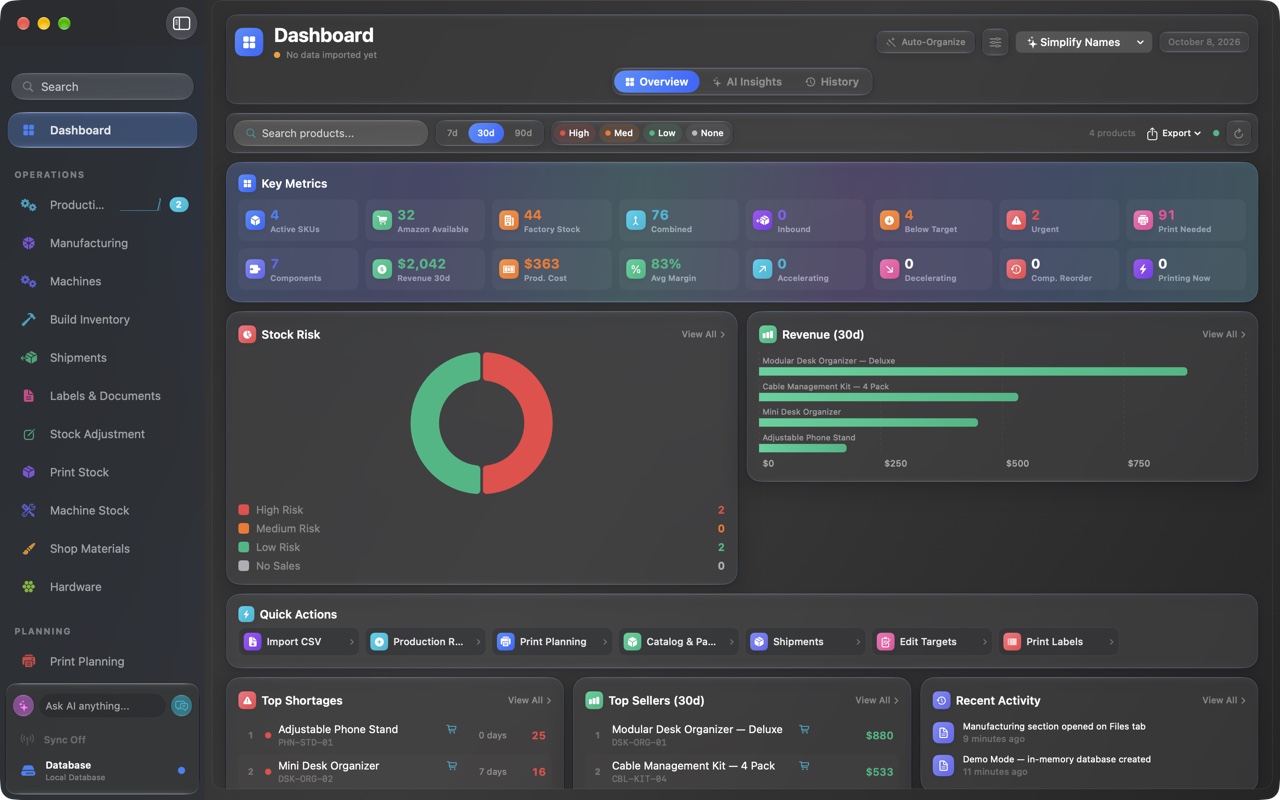
FactoryGrids - Dashboard
FactoryGrids dashboard showing an executive summary, AI insights, key metrics, a stock-risk breakdown, and 30-day revenue by product.

Battle-tested across our own brands, every day

Atlas Product Group Mile High 3D Pro Sim Racing

FactoryGrids started as the internal app Atlas Product Group built to run its own production across these three brands. Now it is available to your shop.

The problem

Your operation is running in a dozen tabs.

Sales live in three storefront dashboards. Production lives in slicer queues and a whiteboard. Materials and maintenance live in someone's head. Inventory lives in a spreadsheet that was right last week. None of them talk to each other, so you start runs short on stock, miss service intervals, and print the wrong things.

Scattered storefronts

Amazon, Etsy, and Shopify each in their own tab, none of them tied to what you can actually build right now.

Blind machine queues

Print and cut jobs spread across machines with no single view of status, capacity, or what is overdue for service.

Stale counts

Raw material and build inventory numbers that are always a step behind, so runs start short and orders slip.

FactoryGrids replaces all of it with one operations platform that runs the full loop, from real sales to shipped.

The closed loop

One system, sales to shipped.

Real orders come in from your channels. FactoryGrids plans and optimizes production against that demand, drives your machines, watches the materials and maintenance those runs consume, then handles inventory, packaging, labels, shipments, and FBA prep. Then it does it again.

STEP 01

Sales come in

Amazon, Etsy, and Shopify orders sync in real time across every marketplace you sell on.

STEP 02

Plan and optimize

Production runs are prioritized against live demand and the stock you already have on hand.

STEP 03

Drive the machines

Jobs are sent to your 3D printers and CNC machines, with live status and progress in one view.

STEP 04

Track what is consumed

Raw material levels and machine maintenance update as runs complete, so nothing runs dry or overdue.

STEP 05

Pack, label, ship

Build inventory, packaging, labels, shipments, and Amazon FBA prep, ready to go out the door.

Every shipment feeds the next forecast. The loop keeps running.

What it does

Built for people who actually build things.

Every capability is here because Atlas needed it to ship its own products. Lead with the two that change everything: your machines and your demand.

Machines and production

Connect your machines. Watch every run.

FactoryGrids connects directly to your 3D printers and CNC machines to send jobs and monitor status in real time. Plan print runs, see queues and capacity at a glance, and know exactly what production needs to happen next.

  • Send and drive jobs on your 3D printers and CNC machines
  • Live machine status, queues, and progress in one place
  • Print planning that maps to what you need to make
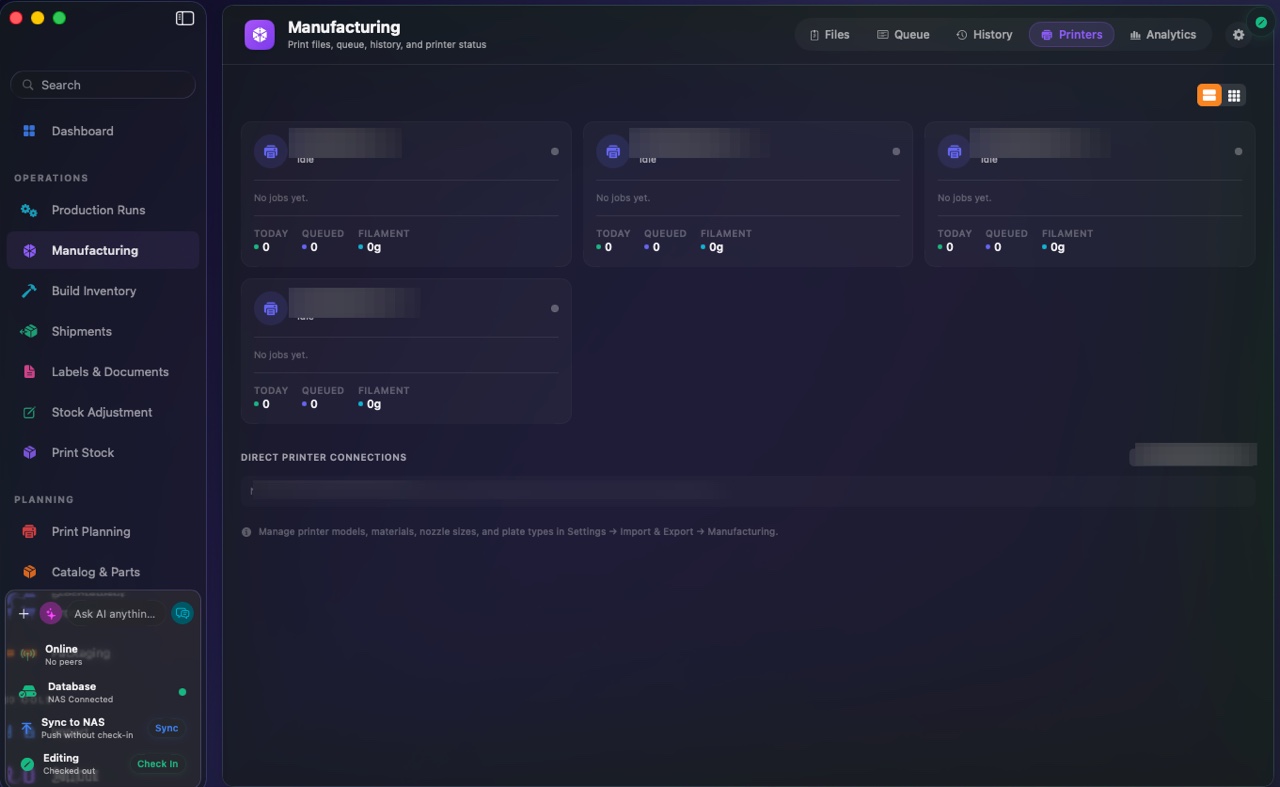
Manufacturing - Printers
FactoryGrids manufacturing view with live machine status cards showing idle and active states, jobs, queue, and filament usage.
Sales channels and demand

Real demand drives real production.

FactoryGrids integrates automatically with Amazon, through Amazon's API, plus Etsy and Shopify, to track sales in real time. It uses that live demand to plan and prioritize production runs, so you build what is actually selling.

  • Automatic Amazon, Etsy, and Shopify integration, and more
  • Real-time sales tracking across every marketplace
  • Production runs optimized against live demand
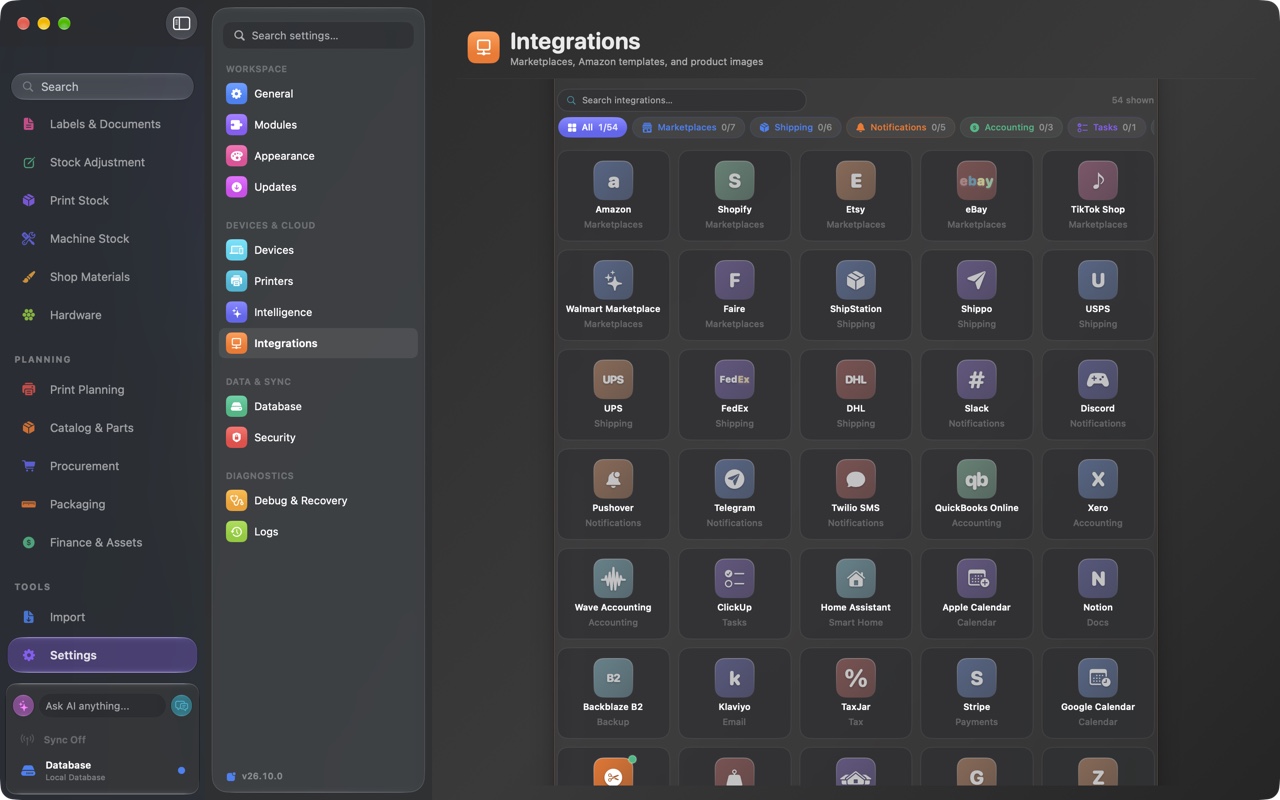
Settings - Sales channels
FactoryGrids settings showing a connected Amazon account, marketplaces by region, and automatic sales sync.
Materials and inventory

Never start a run short on stock.

Track raw material levels, build inventory, parts, and BOMs together. FactoryGrids knows what each run consumes and what assemblies you can complete, so you see shortfalls before they stop a job.

  • Raw material levels tracked against planned runs
  • Build inventory, parts, and BOMs in one model
  • See which assemblies you can complete right now
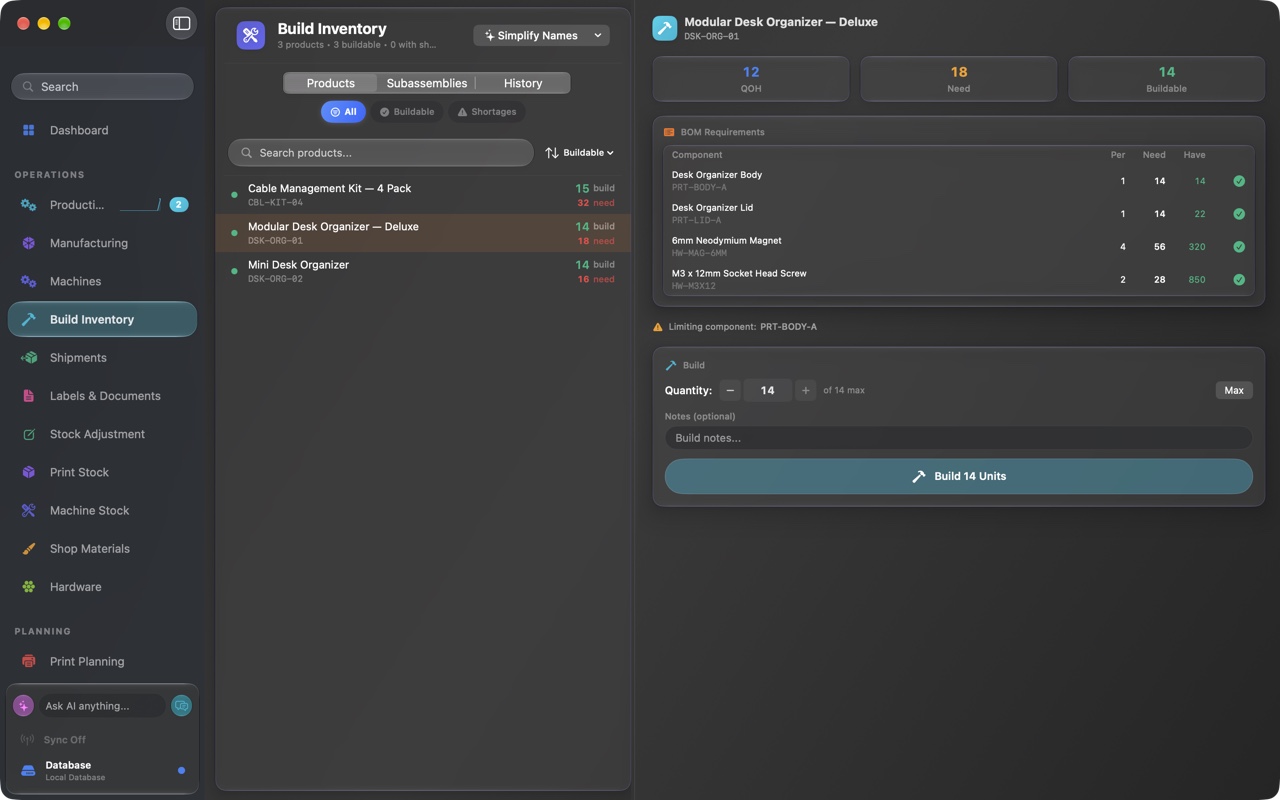
Build Inventory
FactoryGrids build inventory listing products, subassemblies, and available components with quantities.
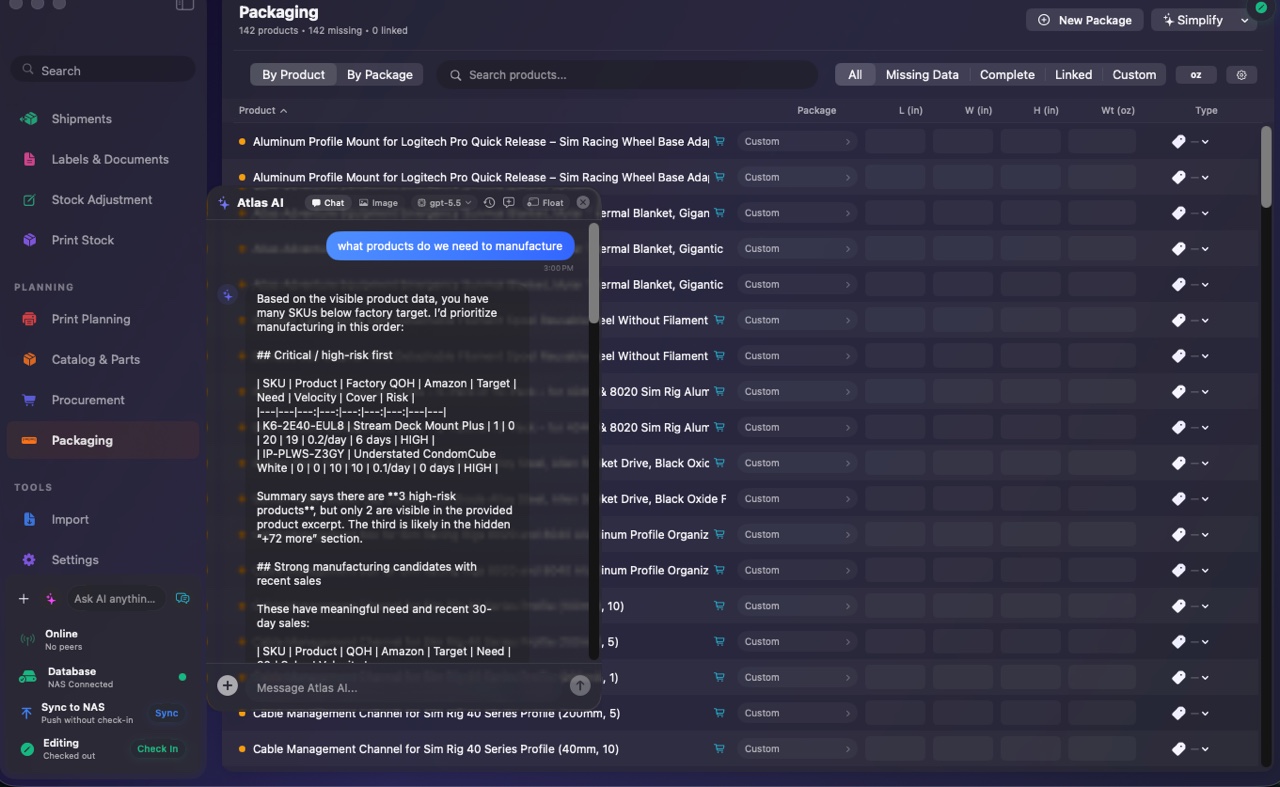
Atlas AI

An assistant that knows your operation.

Atlas AI reads your live data and turns it into plain-language insight: what is at risk, what to restock, what is accelerating, and what to print next. Ask it a question, or let its summaries surface the calls that need your attention.

  • Plain-language insights drawn from your own data
  • Flags critical stock risk and acceleration trends
  • Ask about your catalog, stock, and production needs
Atlas AI assistant
FactoryGrids with the Atlas AI assistant panel open, suggesting products to add to a manufacturing list.
Shipping and fulfillment

From finished build to out the door.

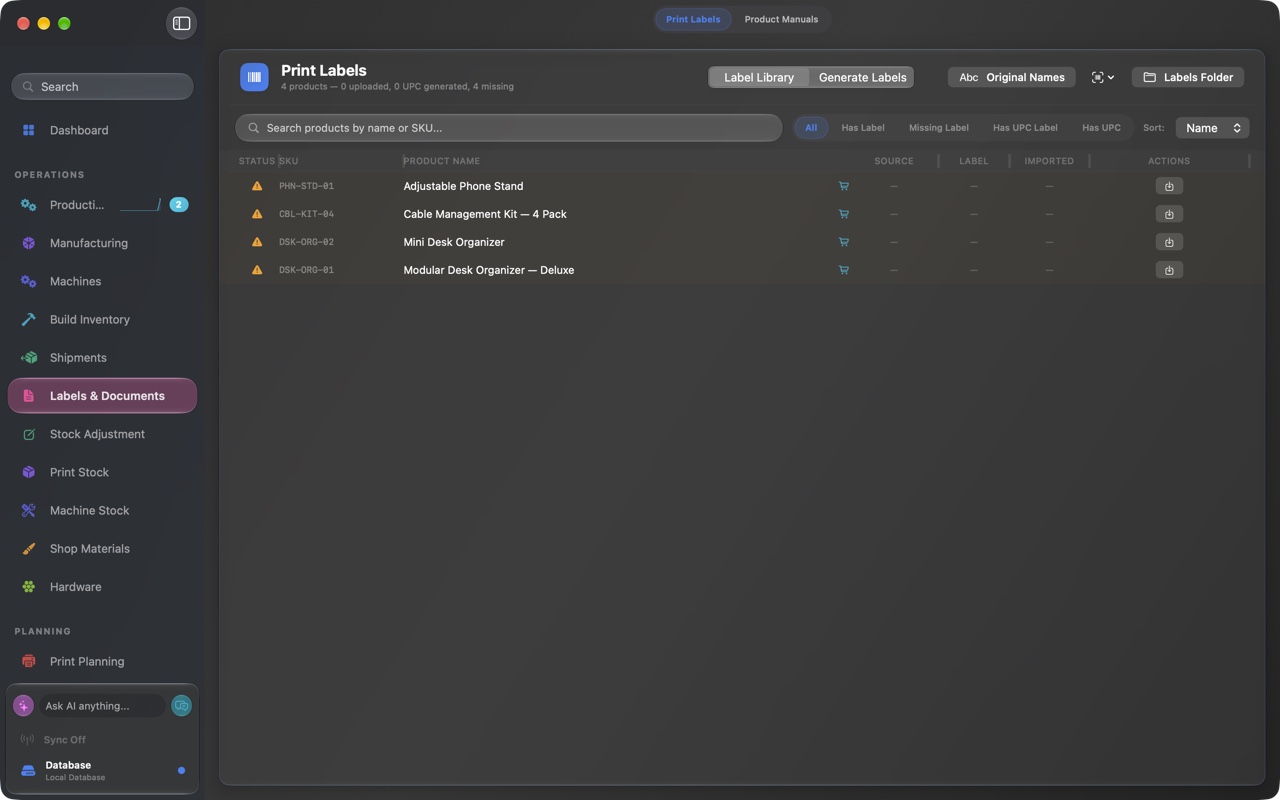
Manage packaging, generate labels, organize shipments, and prepare Amazon FBA shipments without leaving the app. The same system that planned the run finishes the job.

  • Packaging and label generation built in
  • Shipments organized alongside production
  • Amazon FBA shipment prep without the busywork
Labels and Documents
FactoryGrids print labels view with a queue of products ready to generate shipping and product labels.
Our story

We built it to run our own factories.

FactoryGrids did not start as a product. Atlas Product Group built it to run our own manufacturing: the design and prototyping at Mile High 3D, and the sim-racing hardware we make and ship at Pro Sim Racing.

We needed one place to turn real orders into production runs, drive the machines, watch materials and maintenance, and get product out the door. Nothing off the shelf fit a shop our size, so we built it. Every screen on this site is a screen we use to ship real products. Now it can run your shop too.

Built by people who make and ship physical products, not a cloud ERP vendor.

Atlas Product Group

The parent company behind FactoryGrids. We make hardware, and we needed software that kept up.

atlasproductgroup.com

Mile High 3D

Product design and prototyping studio. Its print floor runs on FactoryGrids every day.

milehigh3d.co

Pro Sim Racing

Sim-racing hardware: designed, manufactured, packaged, and shipped on FactoryGrids.

prosimracing.co

How it works

Connect it once. It runs the loop.

Set up takes an afternoon, not a quarter. Point FactoryGrids at your machines, your storefronts, and your storage, and the daily work starts flowing.

Install on your Mac

FactoryGrids is a native macOS app. Install it on the Macs that run your shop. No cloud tenant to provision.

Connect your machines

Link your 3D printers and CNC machines so FactoryGrids can send jobs and monitor status in real time.

Connect your channels

Authorize Amazon, Etsy, and Shopify with your own credentials to pull live sales across every marketplace.

Connect your storage

Point it at your shared local and NAS storage for database sync, backups, and recovery on your hardware.

From there, FactoryGrids tracks sales, optimizes and schedules runs, drives the machines, watches materials and maintenance, and handles inventory, packaging, labels, shipments, and FBA prep.

Who it is for

For teams that design it, make it, and ship it.

Hardware startups

Move from prototype to repeatable production without bolting on a heavy ERP.

Product studios

Keep design files, parts, and runs organized from first concept to shipped goods.

Makers and small manufacturers

Run a fleet of printers and CNC machines like a real production line.

FBA, Etsy, and Shopify sellers

Sellers running their own machines who want demand and production in sync.

Everywhere you work

One operation, on every screen you own.

The Mac runs the floor. Your phone, watch, and headset stay in sync.

macOS

The full command center where you run production and ship. This is the primary app.

iOS and iPad

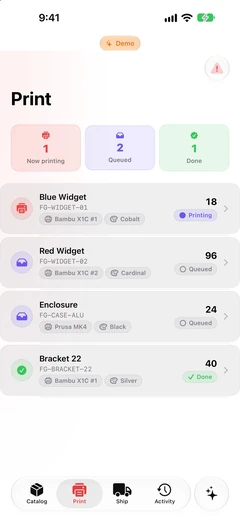
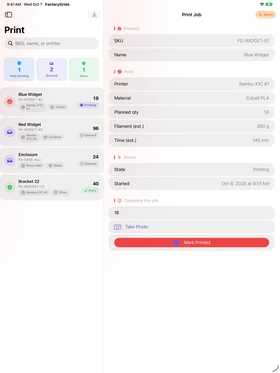
A companion app with home-screen widgets for status on the go.

watchOS

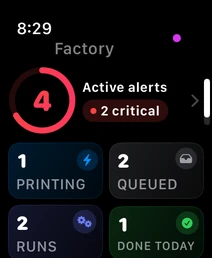
Live status and complications right on your wrist.

visionOS and tvOS

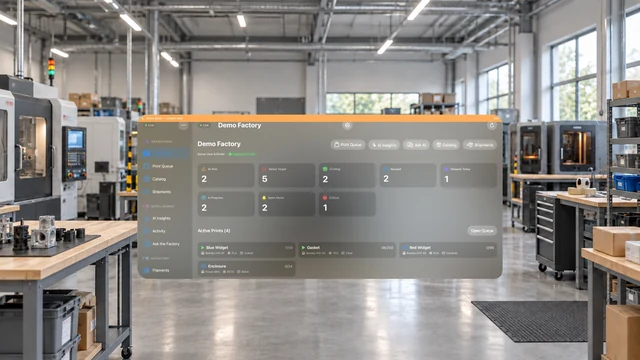
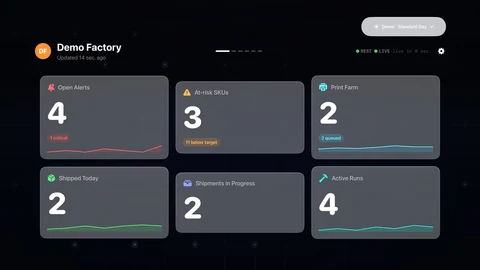
Spatial and big-screen dashboards for the whole shop.

Proof

Proven on our own floors.

FactoryGrids ran the Atlas Product Group brands before it was a product. This is what a day on it looks like, from the teams that build and ship on it.

We sell sim-racing gear across Amazon, Etsy, and our own store, and FactoryGrids turns all of that demand into the exact runs we need to print. No more guessing what to make, and no more starting a run only to find we are short on filament.

Pro Sim Racing

Sim-racing hardware, an Atlas Product Group brand

We run a floor full of printers, and for the first time the whole shop sits in one view: what is queued, what is running, what is due for service, and what to build next. The office and the floor finally work from the same plan.

Mile High 3D

Design and prototyping studio, an Atlas Product Group brand

Nothing off the shelf could run a shop our size, so we built FactoryGrids. It takes a live order all the way to a printed label without anyone re-keying it in between. It is the system we use to ship, every day.

Atlas Product Group

Maker of FactoryGrids
Data ownership

Your data stays on your hardware.

FactoryGrids keeps your operational data on a shared local and NAS-based system that you control, with database sync, backups, and recovery tools built in. It reaches out to sales-channel APIs only to read your sales, using your own credentials. There is no required cloud tenant holding your operation hostage.

Local and NAS storage

Core data lives on your own shared local and NAS system, not a vendor's cloud database.

Sync, backups, recovery

Keep machines in sync and protected with built-in backups and recovery tools.

Your credentials, your access

Channel APIs are accessed with your own Amazon, Etsy, and Shopify credentials to read sales data.

Pricing

Pricing without the penalties.

Plans from a free Hobbyist tier at $0 to a full multi-site Factory plan, billed monthly or annually. No per-user fees. No per-order fees. No GMV penalty. Cancel anytime.

FAQ

Questions, answered.

Yes. FactoryGrids is a native macOS app, not a web app. It requires macOS 26 Tahoe or later, runs on Apple Silicon, and is built around Apple's Liquid Glass interface.
FactoryGrids connects directly to 3D printers and CNC machines to send jobs and monitor status in real time. Tell us about the specific machines on your floor and we will confirm compatibility for your setup.
Amazon, through Amazon's API, plus Etsy and Shopify, with more channels on the way. FactoryGrids tracks sales in real time across the marketplaces you connect.
FactoryGrids connects to your sales channels with your own credentials and pulls orders in real time. It then uses that live demand, together with the stock and capacity you have, to plan and prioritize production runs so you build what is actually selling.
Your operational data lives on a shared local and NAS-based system that you own, with database sync, backups, and recovery tools built in. The app reaches out to Amazon, Etsy, and Shopify only to read your sales. Yes, it is designed to work with a NAS.
It needs internet to sync sales from your channels. Your operational data and day-to-day work stay on your local and NAS system, so the core of the app keeps working on your own network.
Download the Mac app and pick a plan: a free Hobbyist tier, Maker at $39 a month, Studio at $149 a month, or Factory at $349 a month, billed monthly or annually. Start a 30-day Studio trial, and see the full breakdown on the pricing page.
Questions?

Talk to us before you buy.

FactoryGrids is self-serve: download it and get going in minutes. If you want help picking a plan, a hand with onboarding, or answers about your machines and channels, send a note and a real person will reply.

  • Help choosing a plan

    Not sure which tier fits? Tell us how you run and we will point you to the right one.

  • Onboarding when you want it

    Optional white-glove onboarding gets your catalog, machines, and channels set up fast.

  • Straight answers

    Talk to people who run production, not a call center.

We will only use your details to respond to your enquiry. See our privacy policy.

Thanks, we are on it.

Your message is in. A member of the FactoryGrids team will be in touch shortly.